Models and data flows
Compare your own API key, Tokeny channels and local models. Understand which data leaves your computer and how to check your setup.
By Tokeny · Maintained by the Tokeny team · · Applies to Tokeny 1.7; check your installed tools
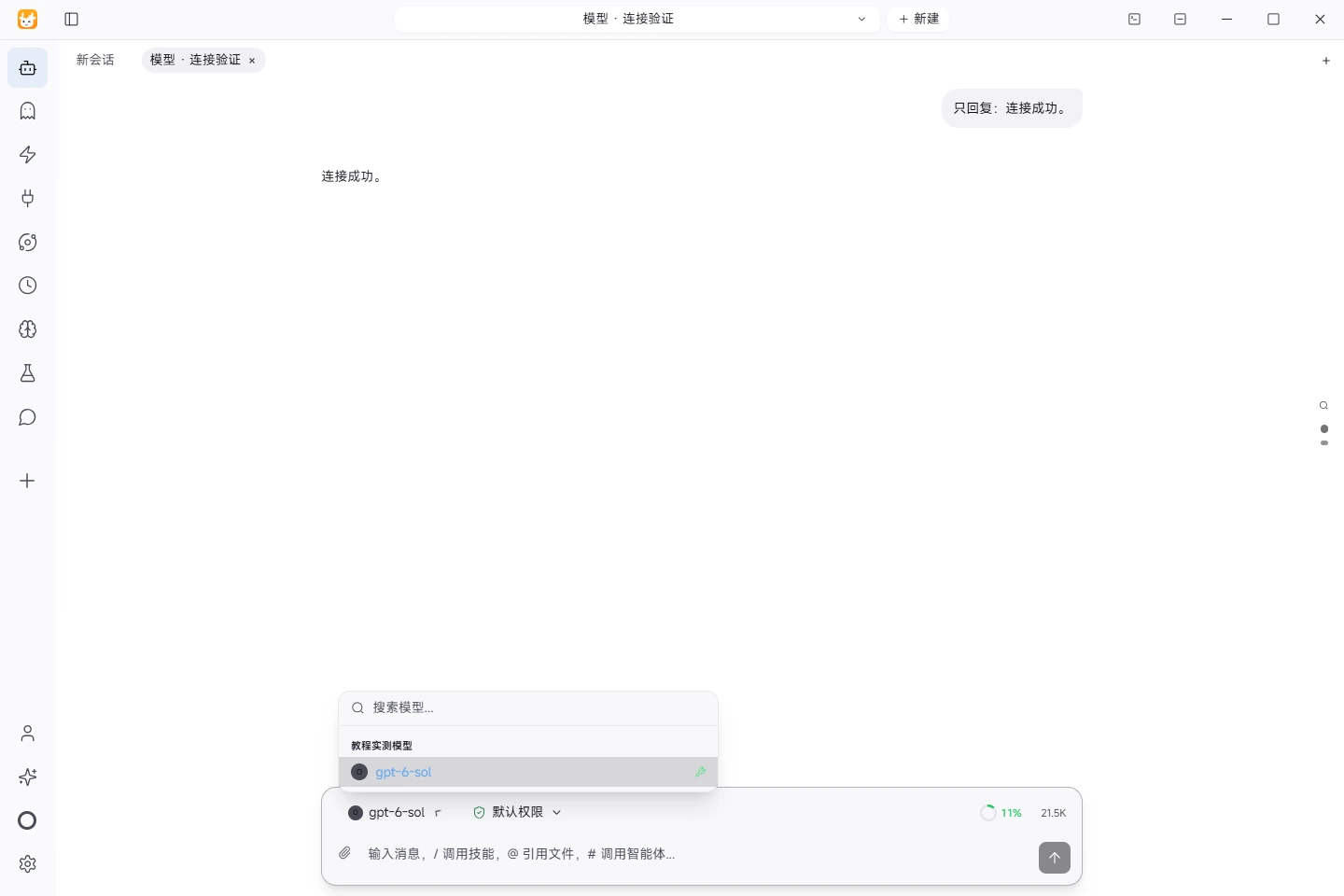
Actual task screenshot. Start with a short request to check the provider and model. This run uses an online model; the screenshot verifies connectivity, not offline operation. View full size ↗
Tested on November 5, 2026 · Windows · Tokeny 1.7.6 · gpt-6-sol online model · Synthetic input. Screenshots and output files use the Chinese interface and content.
Local storage does not mean every operation stays on your device
The Tokeny desktop app can manage workspace files, conversations and settings locally. Online model requests may send the prompt, selected context, file excerpts or tool results needed for a task to the configured service. Account, payment, cloud and third-party tool features can also involve servers. The current privacy policy and enabled features define the applicable scope.
Three ways to connect a model
| Connection | Typical destination | Check before use |
|---|---|---|
| Your own API key | Your configured provider URL, including any proxy at that URL | Provider, base URL, model identifier, billing and retention policy |
| Tokeny built-in channel | Tokeny services and the channel's model provider | Account eligibility, available models, quota and channel details |
| Local model | Your configured local inference endpoint | Downloaded model, actual endpoint location and tool-call support |
A local model does not automatically make a whole task offline. Browsing, web search, remote MCP servers, synchronization and downloads may still use the network. A stdio MCP connection describes communication with a local process; that process may itself make network requests.
Configure and verify
- Select the provider or compatible protocol in model settings. Use its documented API address and model identifier.
- Put the API key in the dedicated configuration field. Keep it out of chats, shared prompts and public screenshots.
- Send a short request without sensitive information and inspect the response or error.
- Test tool calls with a synthetic file. Chat capability alone does not establish reliable file-task execution.
- Recheck destinations after changing a model or channel. Endpoints, tools and enabled features jointly determine the data boundary.
A concrete example
When an online model summarizes a local meeting file, it may receive extracted text or relevant excerpts. Keeping the original file on your computer does not prevent that transfer. With a local model, inference can run at the configured local endpoint, while web searches or remote tools still need a separate review.
Before using sensitive documents, test with redacted input and inspect the selected services, tools and output paths. An organization's administrator should confirm approved channels and tool boundaries.
Common errors and assumptions
A 401 response often indicates invalid credentials or a channel mismatch. A 404 can indicate the wrong endpoint, protocol or model identifier. A 429 can indicate quota or rate limits. Inspect the provider's error before repeatedly submitting private content to different services.
Reading locally saved history and generating an online model response are separate operations. Offline task completion requires the model, source material and all necessary tools to be available locally.
Official references: privacy policy, terms and model setup documentation. For workspace operations, see your first task.
Found an issue? Include the page, app version and steps: tokeny@techxh.cn
Start with a practical guide
Install Tokeny and complete your first task
Choose an installer, configure a model and create a workspace. Complete a small task with an outcome you can verify.
Models and data flows
Compare your own API key, Tokeny channels and local models. Understand which data leaves your computer and how to check your setup.
Install, verify and troubleshoot MCP servers
Connect MCP servers with verified MarkItDown and Serena commands. Review versions, tool discovery and the limits of six server checks.
Turn CSV orders into an Excel report
Use synthetic orders to calculate revenue, build Excel formulas and a category chart, and reconcile the result against known totals.
Turn meeting notes into a Word document
Extract decisions, owners, due dates and open questions from synthetic meeting notes, then produce a Word document for review.
Skills vs MCP: differences and combinations
Skills describe workflows; MCP exposes callable tools. Learn how to combine them to convert source material and prepare a report.