Flowcharts & Architecture: a Tokeny case study
Describe processes or architectures in natural language to auto-generate clear visual diagrams. Follow the recorded task, execution screenshots, actual files and verification notes.
By the Tokeny team · Windows · Tokeny 1.7.8 · gpt-6-sol
Prepare the inputs
Create a separate workspace in Tokeny, download and unpack the sample inputs, then select a model that supports tools. The sample uses synthetic data or the public sources named in the article.
- project-brief.md
Send the task to Tokeny
The original task was executed in Chinese. Copying these instructions reproduces the same task; the results below include an English report.
将预约系统的用户流程和模块关系画成 SVG,输出可编辑 Mermaid 源码与说明;区分用户界面、业务服务、数据存储和外部通知。

交付文件:flow.svg、architecture.svg、diagrams.mmd。
验收要点:
- 预约和取消都有路径
- 节点、箭头不互相遮挡
- 待确认的外部通知被标明
这是使用合成演示输入或指定公开资料的真实操作案例。请先读取工作空间输入,再实际生成文件并自检。所有写入、脚本与临时服务限于当前工作空间;临时服务只监听 127.0.0.1,执行后关闭;不触达外部收件人、不发布、不付款、不更改系统设置,不调用子智能体。需要公开资料时可读取给定 URL。只启用完成任务必需的工具。另写 report.md(中文)和 report.en.md(英文),简洁、完整,包含输入、处理步骤、真实结果、检查方式和局限;失败或未验证部分如实记录,不能宣称成功。最终回复用中文列出产物、关键结果与待核实项。
The recorded run used an isolated demonstration workspace. Review the commands and file paths before approving operations in your own workspace.
What actually ran
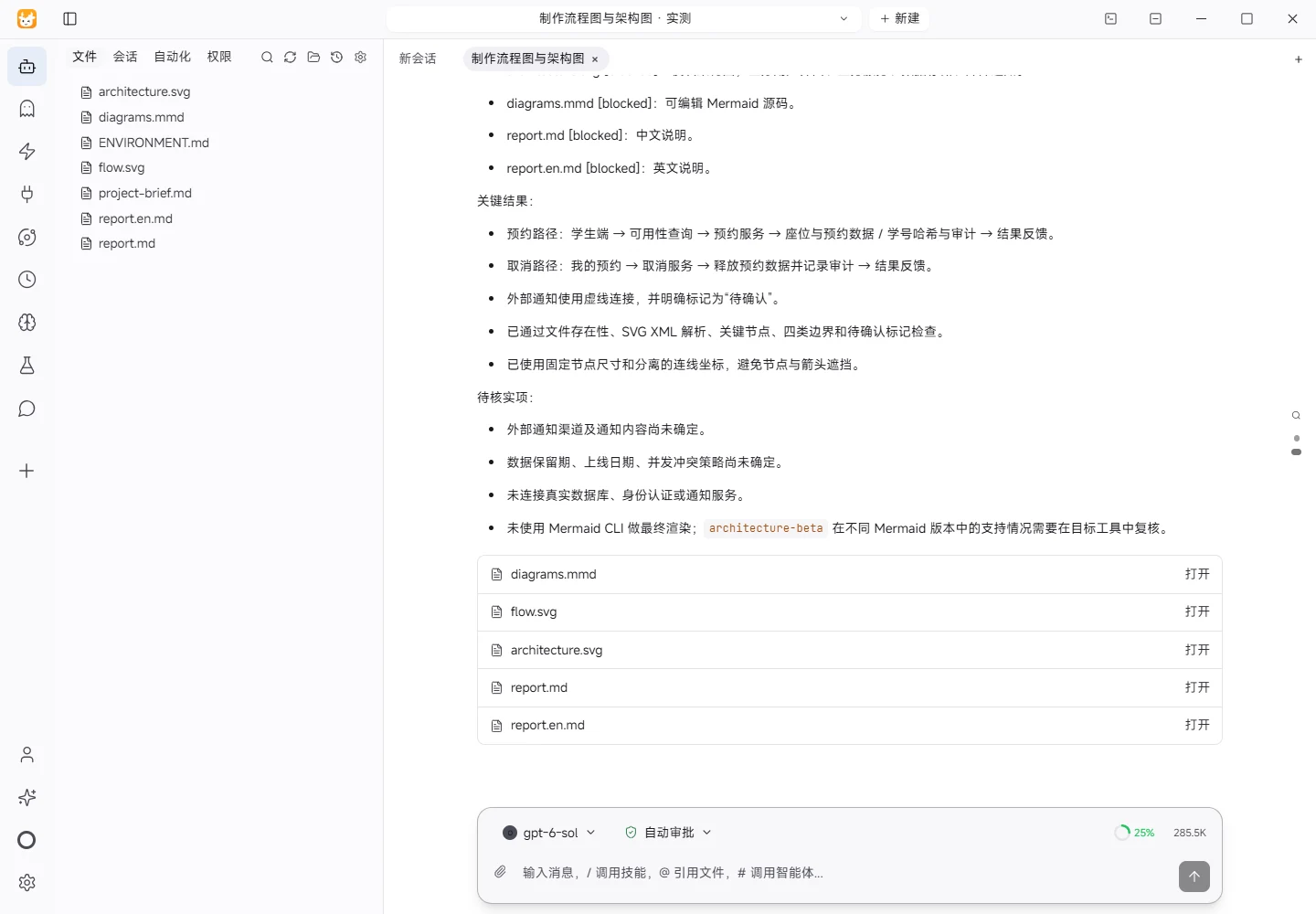
The task was submitted through the Tokeny input box. An online model read the inputs and executed tools. This run covers the local sample task and its actual files. Results and checks are recorded below.
Results and verification
Input
I read project-brief.md and ENVIRONMENT.md. The project is a synthetic requirement for a school library corner with 120 seats: students reserve and cancel seats; administrators manage reservations and daily statistics; only a hashed student ID is retained. Data retention, launch date, and the external notification channel are still to be confirmed.
Processing
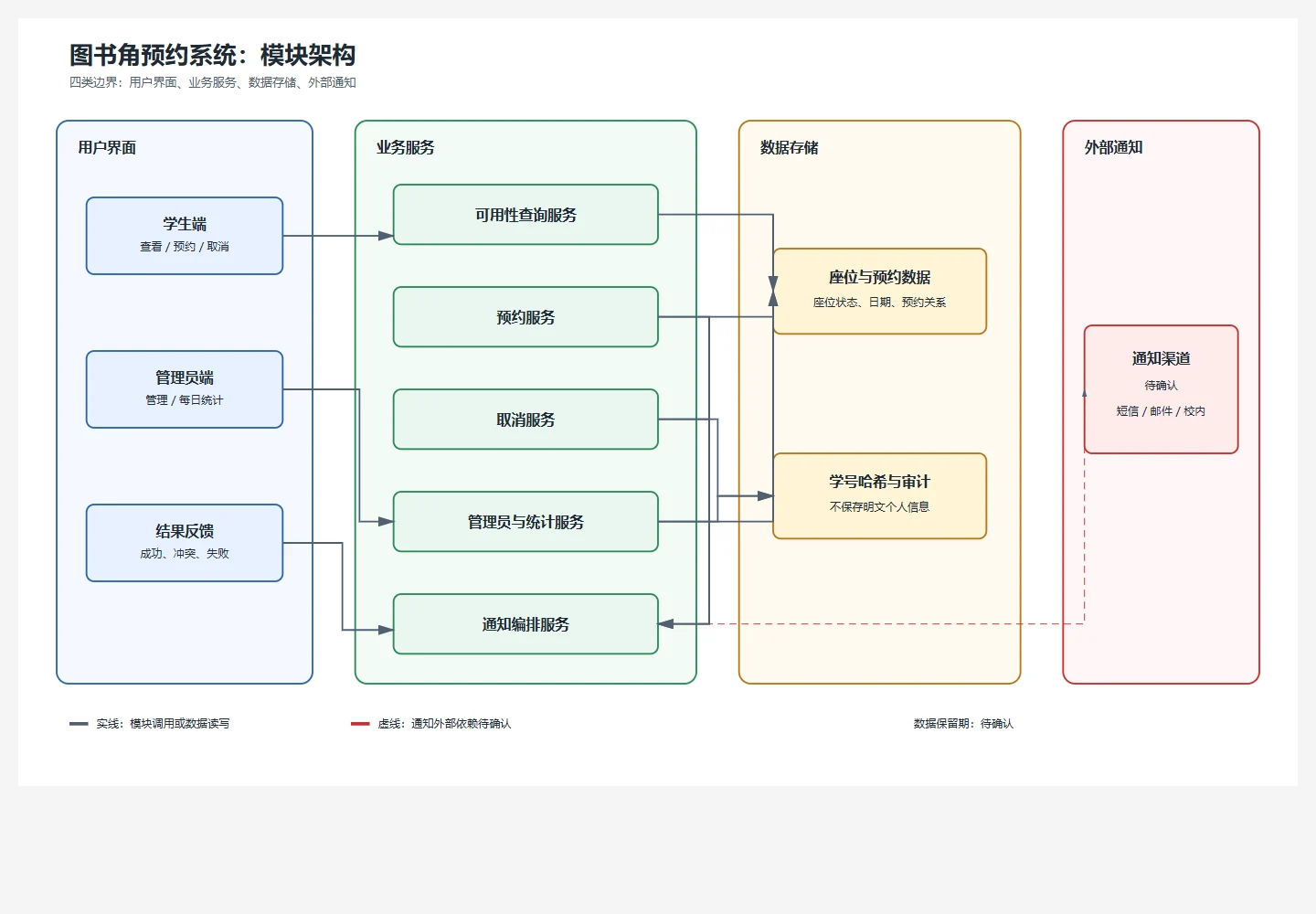
- Split the model into four boundaries: user interface, business services, data storage, and external notification.
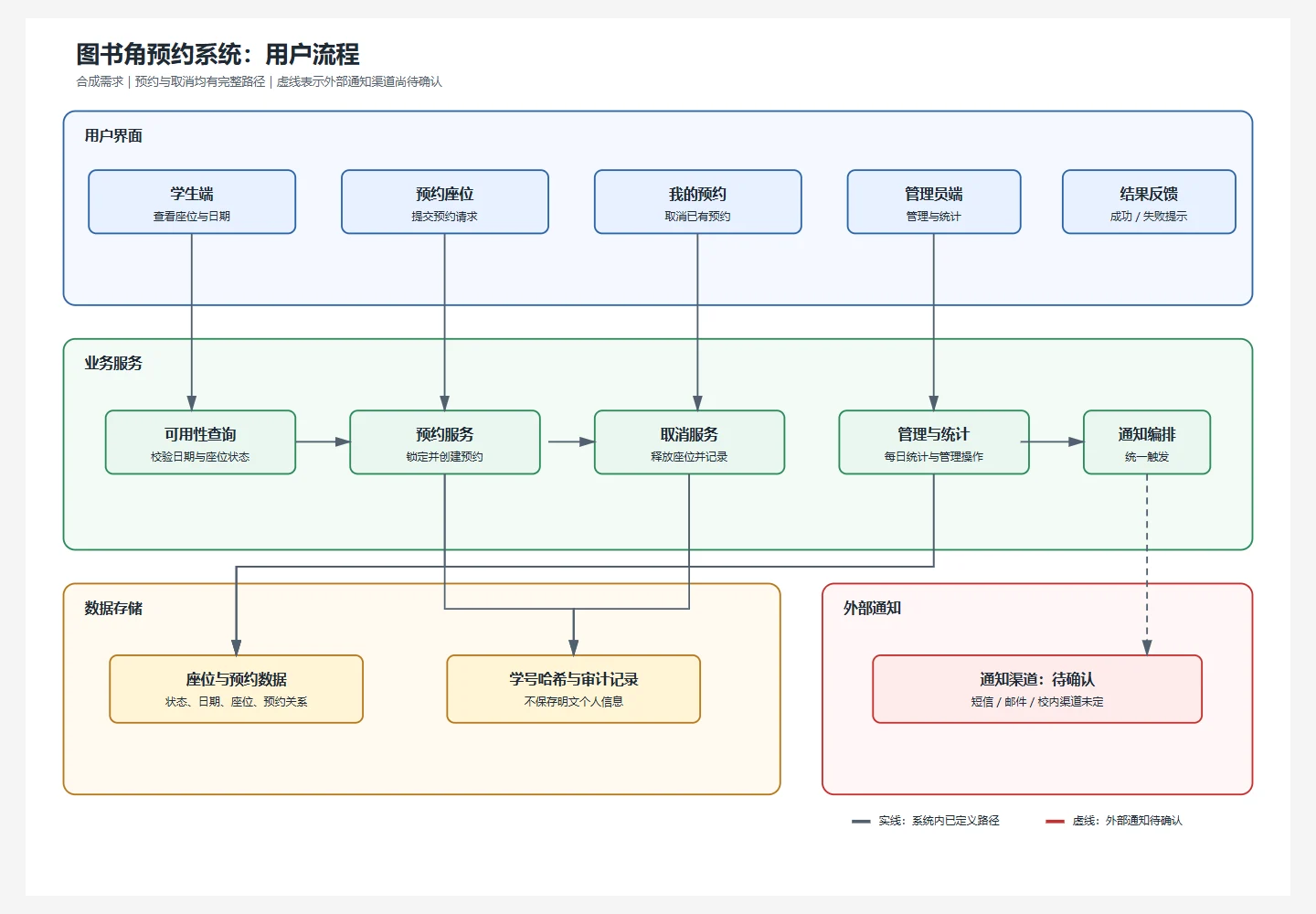
- Added explicit paths for availability lookup, reservation, cancellation, and administrator statistics.
- Connected both reservation and cancellation to data persistence, audit records, and notification orchestration; marked the external notification as pending confirmation.
- Used consistent node names to produce editable Mermaid source and two standalone SVG diagrams.
Actual Results
flow.svg: user flow with reservation, cancellation, administrator statistics, and pending notification path.architecture.svg: module architecture grouped by the four boundaries.diagrams.mmd: editable Mermaid source containing the flowchart and architecture draft.report.mdandreport.en.md: Chinese and English documentation.
Checks
I checked file presence, SVG XML roots, titles/descriptions, arrow markers, reservation and cancellation nodes, all four boundary labels, and the pending-confirmation marker. The diagrams use separated groups, fixed node dimensions, and distinct connector coordinates to avoid node/arrow overlap.
Limitations and Open Items
This used synthetic input only. No real reservation database, identity provider, or notification vendor was contacted. Browser rendering and Mermaid CLI rendering were not run; SVG XML structure was checked, but support and final appearance of architecture-beta may vary by Mermaid renderer and should be reviewed in the target tool. The external notification channel and message content, data retention period, launch date, and concurrency/conflict policy remain subject to confirmation.
Download and inspect the outputs
The archive contains the files created during this run. Use these checks when adapting the example to your own data.
- Reconcile the reported results against the downloadable sample inputs.
- Open the generated files and check the contents relevant to your task.
- Review the limitations and any unverified steps in the report.