UI Prototype Generation: a Tokeny case study
Convert requirement descriptions into interactive HTML prototypes for mobile and desktop layouts. Follow the recorded task, execution screenshots, actual files and verification notes.
By the Tokeny team · Windows · Tokeny 1.7.8 · gpt-6-sol
Prepare the inputs
Create a separate workspace in Tokeny, download and unpack the sample inputs, then select a model that supports tools. The sample uses synthetic data or the public sources named in the article.
- product-brief.md
Send the task to Tokeny
The original task was executed in Chinese. Copying these instructions reproduces the same task; the results below include an English report.
制作任务板可交互 HTML 原型:添加任务、完成/取消完成、过滤待办/已完成,支持桌面和手机布局。数据只保存在当前浏览器内存。

交付文件:prototype.html。
验收要点:
- 添加与过滤可交互
- 390px 无横向溢出
- 表单有可访问标签
这是使用合成演示输入或指定公开资料的真实操作案例。请先读取工作空间输入,再实际生成文件并自检。所有写入、脚本与临时服务限于当前工作空间;临时服务只监听 127.0.0.1,执行后关闭;不触达外部收件人、不发布、不付款、不更改系统设置,不调用子智能体。需要公开资料时可读取给定 URL。只启用完成任务必需的工具。另写 report.md(中文)和 report.en.md(英文),简洁、完整,包含输入、处理步骤、真实结果、检查方式和局限;失败或未验证部分如实记录,不能宣称成功。最终回复用中文列出产物、关键结果与待核实项。
The recorded run used an isolated demonstration workspace. Review the commands and file paths before approving operations in your own workspace.
What actually ran
The task was submitted through the Tokeny input box. An online model read the inputs and executed tools. This run covers the local sample task and its actual files. Results and checks are recorded below.
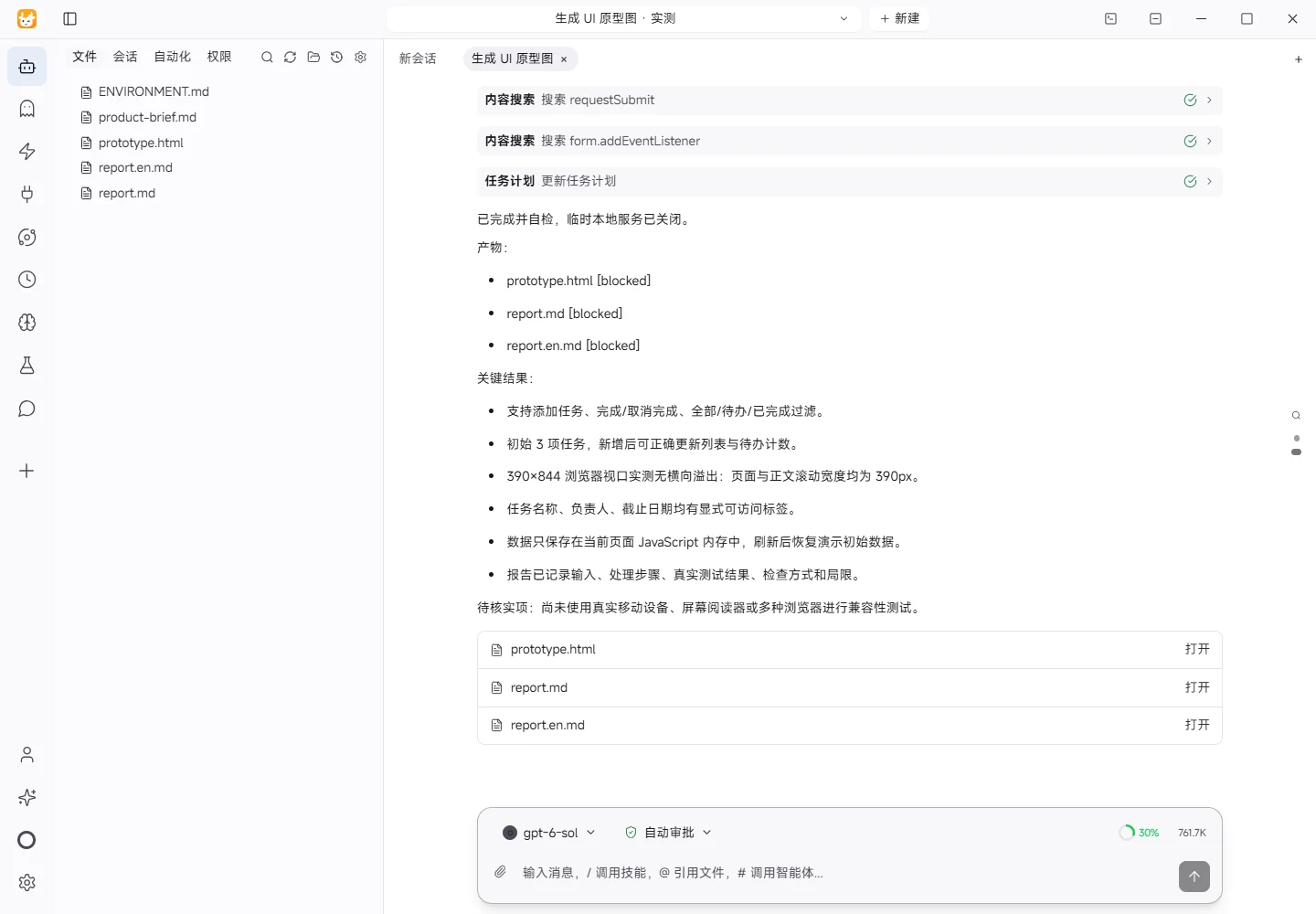
Results and verification
Input
- Read
product-brief.md: the fictional product “Songguo Task Board,” branded with#176B52for small teams of 3–10 people. - Read
ENVIRONMENT.md: Windows, isolated demo workspace, with local Python and a Playwright browser runtime available. - User requirements: deliver
prototype.htmlwith add-task, complete/uncomplete, and todo/completed filtering interactions; support desktop and mobile layouts; keep data in the current browser memory only; also deliver Chinese and English reports.
Processing Steps
- Created a self-contained
prototype.htmlwith HTML, CSS, and JavaScript and no external dependencies or backend storage. - Added task title, owner, and due-date fields with explicit
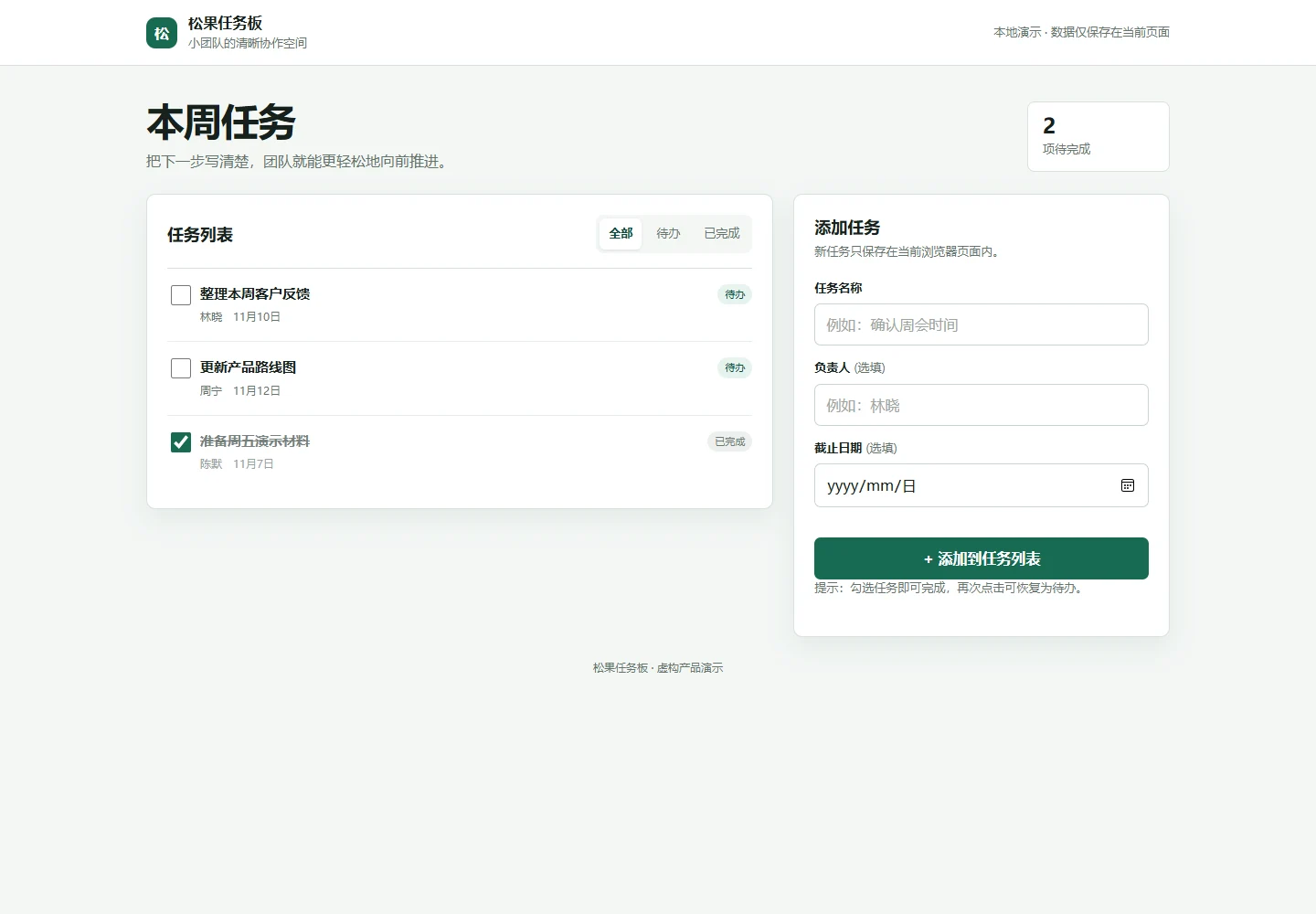
labelassociations. - Added checkbox completion toggling, all/todo/completed filters, a remaining-task counter, and an empty state.
- Added responsive CSS for desktop and mobile, including a compact task-row layout below 420px.
- Started a temporary HTTP server bound only to
127.0.0.1:4173and ran browser checks.
Actual Results
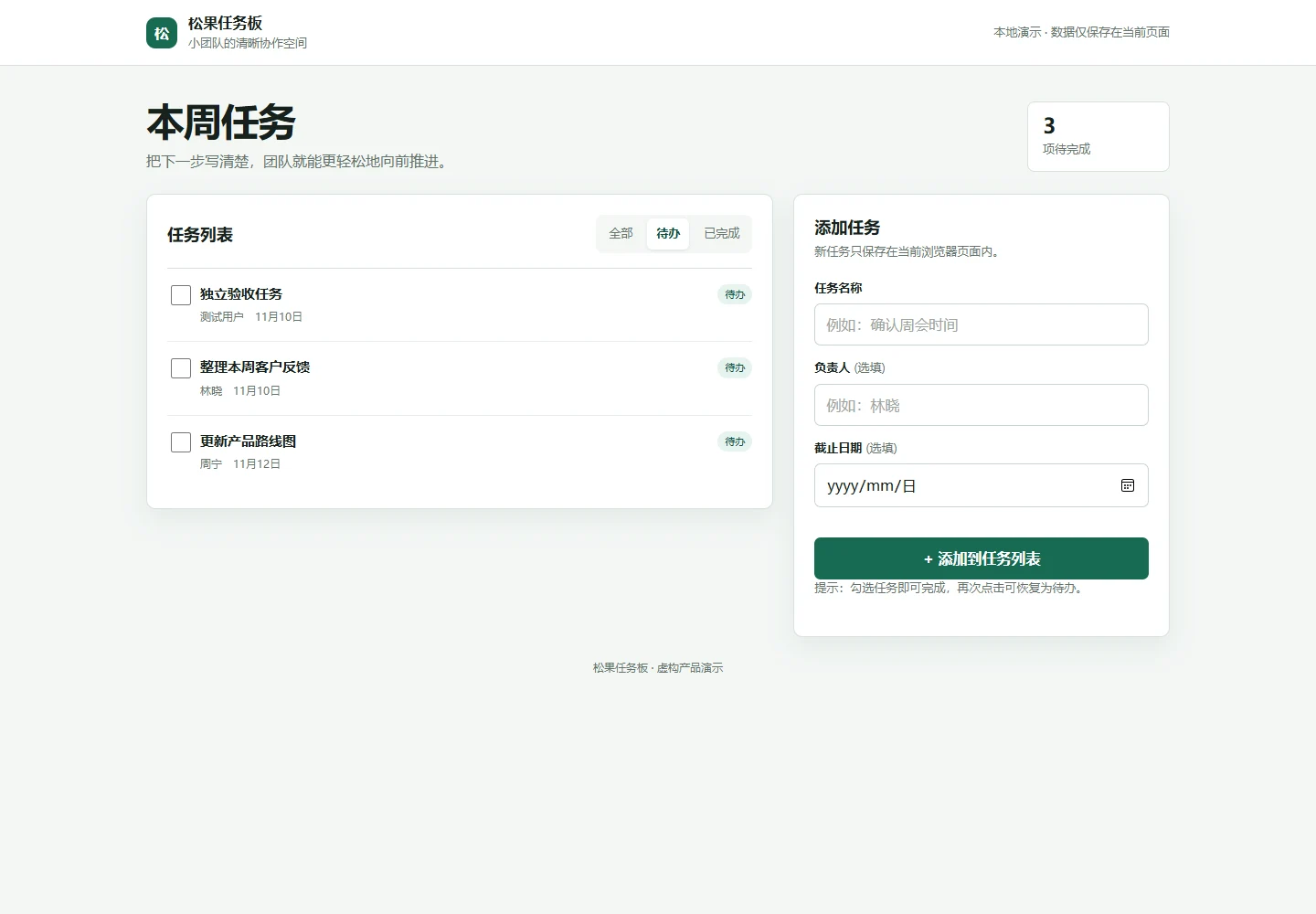
- Desktop interaction: 3 initial tasks were shown, with 2 remaining. After adding “验证移动端布局,” the list contained 4 tasks with 3 remaining.
- Completion toggle: checking the new task changed its status to “已完成” and reduced the remaining count from 3 to 2; toggling again restored it.
- Filtering: in that test state, the todo filter showed 2 tasks, the completed filter showed 2 tasks, and the all filter showed 4 tasks.
- 390×844 browser viewport:
document.documentElement.scrollWidth = 390anddocument.body.scrollWidth = 390; no horizontal overflow was found. - Accessible labels:
task-title,task-owner, andtask-dueeach had an explicit associated label. Playwright also located and filled the fields by accessible name. - Data behavior: task state is held in a JavaScript memory variable. Refreshing the page restores the demo seed data; no backend or persistent browser storage is used.
Verification Method
- Used the local Playwright browser runtime with a 390×844 viewport and opened
http://127.0.0.1:4173/prototype.html. - Filled and submitted the form, clicked filters, toggled completion, and read task counts, remaining count, and document scroll widths.
- Inspected
label.htmlForvalues and input IDs to verify explicit label associations.
Limitations
- This is a static prototype without accounts, collaboration sync, backend persistence, CSV export, or team permissions.
- Seed tasks are embedded in the page script. Added tasks exist only in page memory and are lost on refresh or close.
- Real-device touch gestures, screen readers, and cross-browser compatibility were not tested.
Download and inspect the outputs
The archive contains the files created during this run. Use these checks when adapting the example to your own data.
- Reconcile the reported results against the downloadable sample inputs.
- Open the generated files and check the contents relevant to your task.
- Review the limitations and any unverified steps in the report.